Ranges
Introduction:
- To loop through a set of code a specified number of times, we can use the
range()function. - The
range()function returns a sequence of numbers, starting from 0 by default, incrementing by 1 by default, and ending at a specified number.
Syntax of range():
python
range(start, stop, step)
start: Optional. The starting value (default is 0).stop: Required. The stopping value (not included).step: Optional. The increment value (default is 1).
Defining a Range:
- You can define a range using the boundaries: start and stop. You can also specify a step value.
Range with Specific Stop:
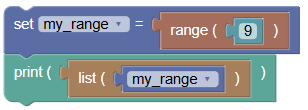 python
my_range = range(9) print(list(my_range))Output:
[0, 1, 2, 3, 4, 5, 6, 7, 8]
Range with Specific Start and Stop:
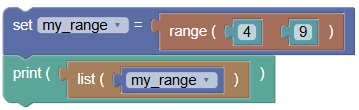 python
my_range = range(4, 9) print(list(my_range))Output:
[4, 5, 6, 7, 8]
Range with Specific Start, Stop, and Step:
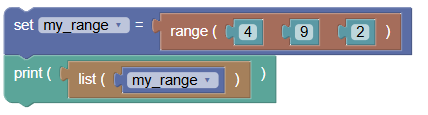 python
my_range = range(4, 9, 2) print(list(my_range))Output:
[4, 6, 8]
Negative Step Value in a Range:
You can define a range with a negative step value when the start value is greater than the stop value.
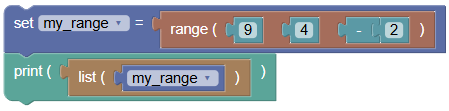 python
my_range = range(9, 4, -2) print(list(my_range))Output:
[9, 7, 5]
Printing Values in a Range:
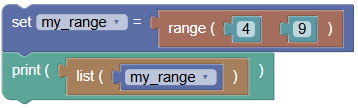
To print the values in a range, convert it to a list:
 python
my_range = range(4, 9) print(list(my_range))Output:
[4, 5, 6, 7, 8]
Summary:
- The
range()function in Python is a powerful tool for creating sequences of numbers. Practice using therange()function to loop through sequences and understand how to define ranges with different start, stop, and step values!