Dictionaries
What Are Dictionaries?
- Dictionaries are used to store data values in key-value pairs. They are one of Python's built-in data types, alongside lists, tuples, and sets.
Creating a Dictionary:
Dictionaries are created using curly brackets
{}or thedict()constructor.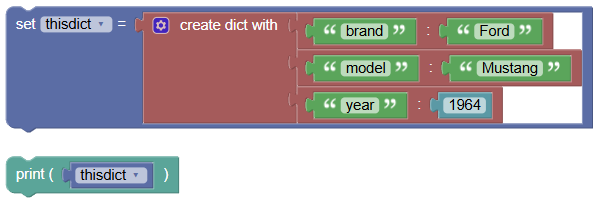 python
thisdict = { "brand": "Ford", "model": "Mustang", "year": 1964 } print(thisdict)Output:
{'brand': 'Ford', 'model': 'Mustang', 'year': 1964}
Properties of Dictionaries:
- Ordered (Python 3.7+): Items have a defined order.
- Changeable: You can change, add, or remove items.
- No Duplicates: Dictionaries cannot have duplicate keys.
Examples:
- Accessing Items:
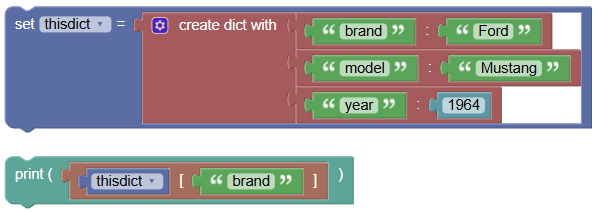
Use the key to access its value.
 python
thisdict = { "brand": "Ford", "model": "Mustang", "year": 1964 } print(thisdict["brand"])Output:
Ford
- Adding Items:
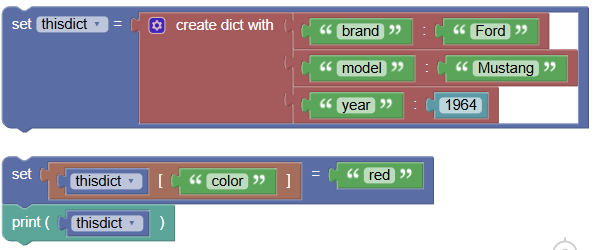
Add a new key-value pair.
 python
thisdict = { "brand": "Ford", "model": "Mustang", "year": 1964 } thisdict["color"] = "red" print(thisdict)Output:
{'brand': 'Ford', 'model': 'Mustang', 'year': 1964, 'color': 'red'}
- Changing Items:
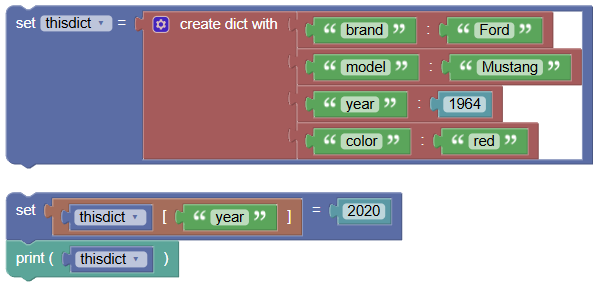
Change the value of an existing key.
 python
thisdict = { "brand": "Ford", "model": "Mustang", "year": 1964, "color": "red" } thisdict["year"] = 2020 print(thisdict)Output:
{'brand': 'Ford', 'model': 'Mustang', 'year': 2020, 'color': 'red'}
- Removing Items:
Remove a key-value pair using the
pop()method or thedelkeyword.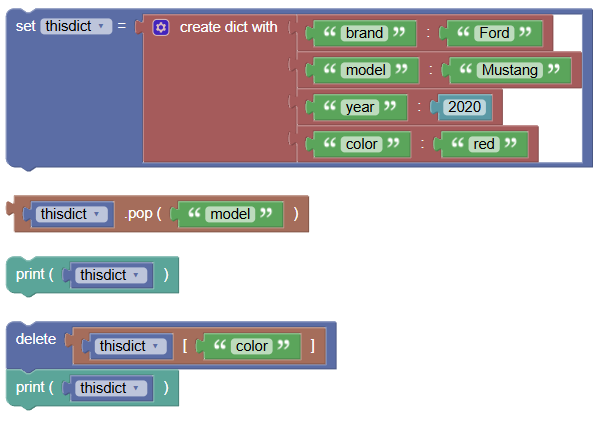 python
thisdict = { "brand": "Ford", "model": "Mustang", "year": 2020, "color": "red" } thisdict.pop("model") print(thisdict) del thisdict["color"] print(thisdict)- Output:
{'brand': 'Ford', 'year': 2020, 'color': 'red'} Output:
{'brand': 'Ford', 'year': 2020}
- Output:
Dictionary Methods:
- Dictionaries come with various built-in methods such as:
clear(): Removes all elements.copy(): Returns a copy of the dictionary.fromkeys(): Returns a dictionary with specified keys and values.get(): Returns the value of the specified key.items(): Returns a list containing a tuple for each key-value pair.keys(): Returns a list containing the dictionary's keys.pop(): Removes the element with the specified key.popitem(): Removes the last inserted key-value pair.update(): Updates the dictionary with the specified key-value pairs.values(): Returns a list of all the values in the dictionary.
Exercises:
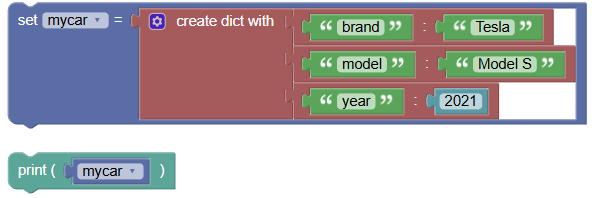
- Create and Print a Dictionary:
Create a dictionary of your favorite car with keys such as brand, model, and year. Print the dictionary.
 python
mycar = { "brand": "Tesla", "model": "Model S", "year": 2021 } print(mycar)Output:
{'brand': 'Tesla', 'model': 'Model S', 'year': 2021}
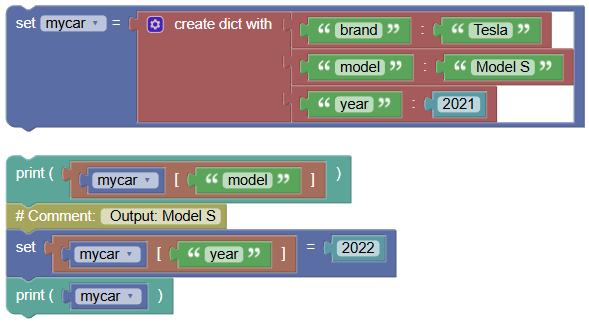
- Access and Update Items:
Access and print the value of the "model" key. Update the "year" to 2022 and print the updated dictionary.
 python
mycar = { "brand": "Tesla", "model": "Model S", "year": 2021 } print(mycar["model"]) # Output: Model S mycar["year"] = 2022 print(mycar)Output:
{'brand': 'Tesla', 'model': 'Model S', 'year': 2022}
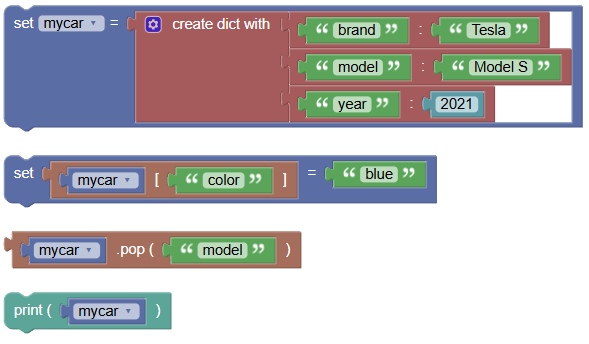
- Add and Remove Items:
Add a new key-value pair for color and remove the "model" key. Print the updated dictionary.
 python
mycar = { "brand": "Tesla", "model": "Model S", "year": 2021 } mycar["color"] = "blue" mycar.pop("model") print(mycar)Output:
{'brand': 'Tesla', 'year': 2021, 'color': 'blue'}
Summary:
- Dictionaries are versatile and powerful for storing and managing key-value pairs in Python. They allow you to quickly access, modify, and iterate over data. Practice creating, accessing, and updating dictionaries to become proficient in using them!