Array Methods
Introduction:
- Python provides a set of built-in methods that you can use to manipulate lists (arrays). These methods make it easy to add, remove, and modify elements in your arrays.
Common Array Methods:
- append()
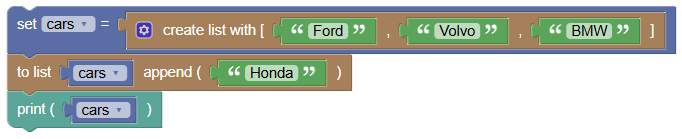
Adds an element at the end of the list.
 python
cars = ["Ford", "Volvo", "BMW"] cars.append("Honda") print(cars)Output:
['Ford', 'Volvo', 'BMW', 'Honda']
- clear()
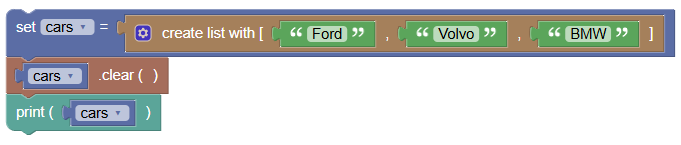
Removes all elements from the list.
 python
cars = ["Ford", "Volvo", "BMW"] cars.clear() print(cars)Output:
[]
- copy()
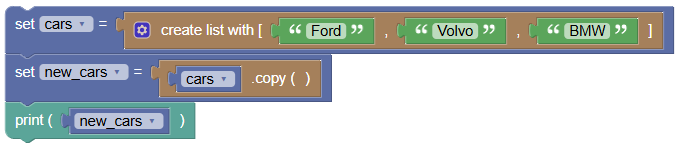
Returns a copy of the list.
 python
cars = ["Ford", "Volvo", "BMW"] new_cars = cars.copy() print(new_cars)Output:
['Ford', 'Volvo', 'BMW']
- count()
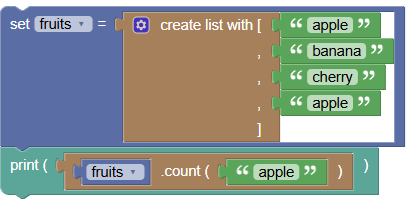
Returns the number of elements with the specified value.
 python
fruits = ["apple", "banana", "cherry", "apple"] print(fruits.count("apple"))Output:
2
- extend()
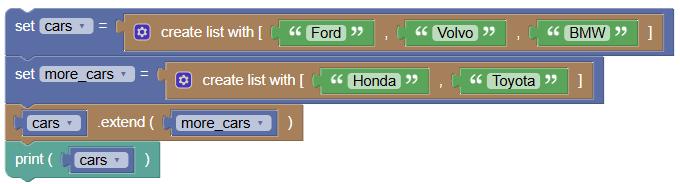
Adds the elements of a list (or any iterable) to the end of the current list.
 python
cars = ["Ford", "Volvo", "BMW"] more_cars = ["Honda", "Toyota"] cars.extend(more_cars) print(cars)Output:
['Ford', 'Volvo', 'BMW', 'Honda', 'Toyota']
- index()
Returns the index of the first element with the specified value.
 python
fruits = ["apple", "banana", "cherry"] print(fruits.index("banana"))Output:
1
- insert()
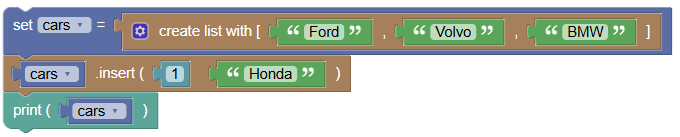
Adds an element at the specified position.
 python
cars = ["Ford", "Volvo", "BMW"] cars.insert(1, "Honda") print(cars)Output:
['Ford', 'Honda', 'Volvo', 'BMW']
- pop()
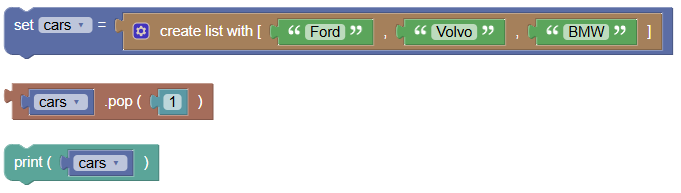
Removes the element at the specified position.
 python
cars = ["Ford", "Volvo", "BMW"] cars.pop(1) print(cars)Output:
['Ford', 'BMW']
- remove()
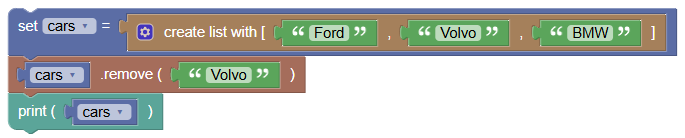
Removes the first item with the specified value.
 python
cars = ["Ford", "Volvo", "BMW"] cars.remove("Volvo") print(cars)Output:
['Ford', 'BMW']
- reverse()
Reverses the order of the list.
 python
cars = ["Ford", "Volvo", "BMW"] cars.reverse() print(cars)Output:
['BMW', 'Volvo', 'Ford']
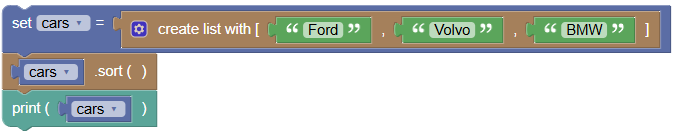
- sort()
Sorts the list.
 python
cars = ["Ford", "Volvo", "BMW"] cars.sort() print(cars)Output:
['BMW', 'Ford', 'Volvo']
Exercises:
- Add and Remove Elements:
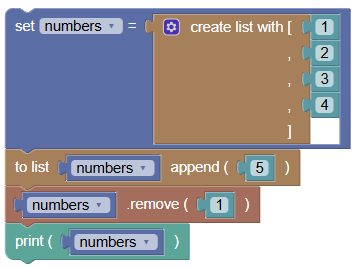
Create a list of numbers and add a new number at the end, then remove the first number.
 python
numbers = [1, 2, 3, 4] numbers.append(5) numbers.remove(1) print(numbers)Output:
[2, 3, 4, 5]
- Copy and Clear List:
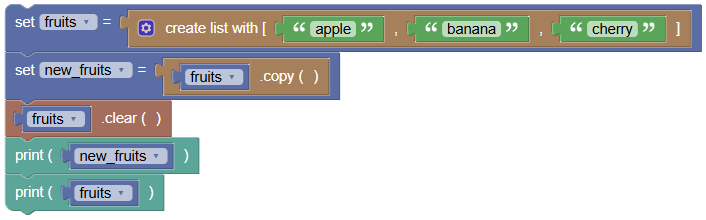
Copy a list of fruits and then clear the original list.
 python
fruits = ["apple", "banana", "cherry"] new_fruits = fruits.copy() fruits.clear() print(new_fruits) print(fruits)- Output:
['apple', 'banana', 'cherry'] Output:
[]
- Output:
Summary:
- In this tutorial, we learned about various built-in methods to manipulate arrays in Python. These methods are essential for managing and processing data stored in arrays. Practice using these methods to get comfortable with array manipulation in Python!