Controlling Visibility and Appearance
Introduction:
- Welcome to BlockPyArt, where programming meets creativity by drawing shapes and patterns. This tutorial focuses on controlling the visibility and appearance of the turtle (block). Remember: Always use the “start” block to activate the BlockPyArt console. If you do not start with the start block, you will encounter an error and the commands will not work properly.
Visibility and Appearance Commands
- shape(shape_name):
- Purpose: Sets the shape of the turtle.
Example:
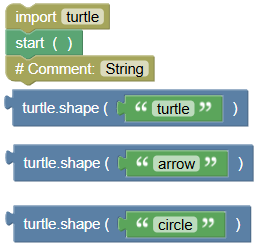 python
import turtle turtle.mainloop() turtle.shape("turtle") # string turtle.shape("arrow") turtle.shape("circle")- Exercise: Change the turtle's shape to "square", "triangle", and "classic".
- showturtle():
- Purpose: Makes the turtle visible on the screen.
Example:
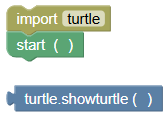 python
import turtle turtle.mainloop() turtle.showturtle()- Exercise: Ensure the turtle is visible at the start of your program.
- hideturtle():
- Purpose: Makes the turtle invisible on the screen.
Example:
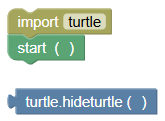 python
import turtle turtle.mainloop() turtle.hideturtle()- Exercise: Hide the turtle after drawing a shape.
- isvisible():
- Purpose: Checks if the turtle is currently visible.
Example:
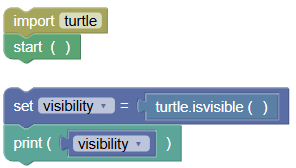 python
import turtle turtle.mainloop() visibility = turtle.isvisible() print(visibility)- Exercise: Check if the turtle is visible before and after hiding it.
Examples
- Toggle Visibility:
Example:
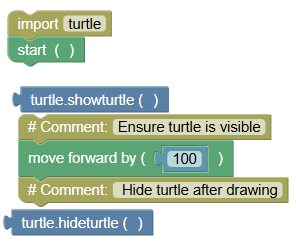 python
import turtle turtle.mainloop() turtle.showturtle() # Ensure turtle is visible turtle.forward(100) turtle.hideturtle() # Hide turtle after drawing
- Check Visibility Status:
Example:
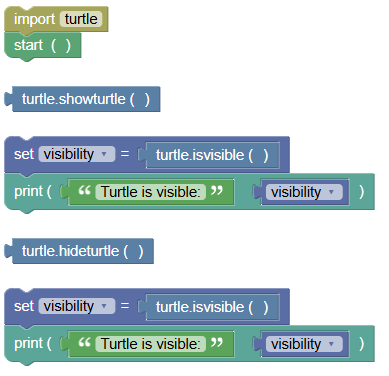 python
import turtle turtle.mainloop() turtle.showturtle() visibility = turtle.isvisible() print("Turtle is visible:", visibility) turtle.hideturtle() visibility = turtle.isvisible() print("Turtle is visible:", visibility)
- Change Shape and Move:
Example:
python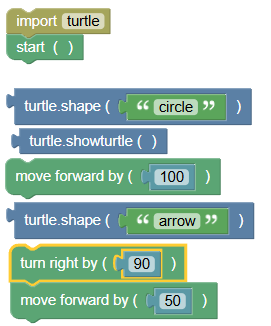
import turtle
turtle.mainloop()

turtle.shape("circle")
turtle.showturtle()
turtle.forward(100)
turtle.shape("arrow")
turtle.right(90)
turtle.forward(50)
Exercises
- Draw a Shape and Hide Turtle:
Write a program to draw a square and hide the turtle afterward.
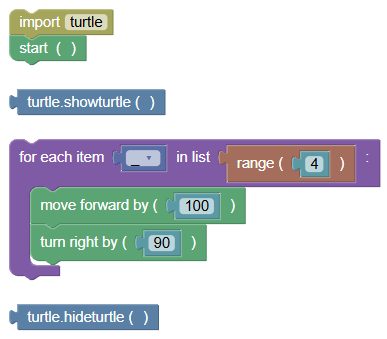 python
import turtle turtle.mainloop() turtle.showturtle() for _ in range(4): turtle.forward(100) turtle.right(90) turtle.hideturtle()
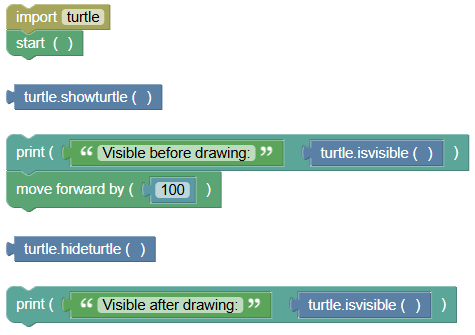
- Visibility Check:
Write a program to check if the turtle is visible before and after drawing a line.
 python
import turtle turtle.mainloop() turtle.showturtle() print("Visible before drawing:", turtle.isvisible()) turtle.forward(100) turtle.hideturtle() print("Visible after drawing:", turtle.isvisible())
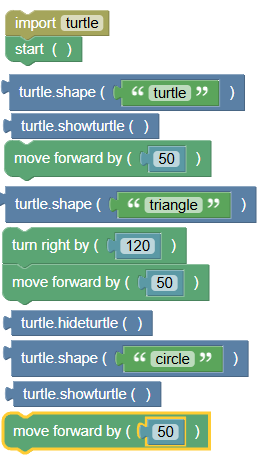
- Shape and Visibility Pattern:
Write a program to change the turtle's shape, move it, and toggle visibility.
 python
import turtle turtle.mainloop() turtle.shape("turtle") turtle.showturtle() turtle.forward(50) turtle.shape("triangle") turtle.right(120) turtle.forward(50) turtle.hideturtle() turtle.shape("circle") turtle.showturtle() turtle.forward(50)
Summary:
- In this tutorial, we learned how to control the visibility and appearance of the turtle in BlockPyArt using the commands
shape(),showturtle(),hideturtle(), andisvisible(). Remember to always use the start block to activate the BlockPyArt console. If you cannot start using the BlockPyArt blocks, there will be an error. Practice these commands and exercises to get comfortable with customizing and controlling the visibility of the turtle in BlockPyArt!