[Solved] IndentationError
Introduction:
- An
IndentationError: expected an indented block after 'if' statementoccurs when Python expects an indented block of code following an if statement, but it is missing or improperly indented.
Example of IndentationError:
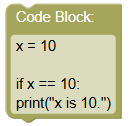
Consider this program where the print statement inside the if block is not properly indented:
 python
x = 10 if x == 10: print("x is 10.")
Output:
  File "example.py", line 4
    print("x is 10.")
    ^
IndentationError: expected an indented block after 'if' statement on line 3
- Python clearly indicates that it expected an indented block after the if statement on line 3.
Solution:
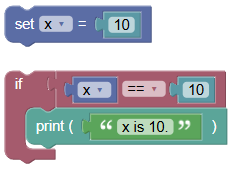
To fix this error, ensure the statements within the if block are properly indented. Here is the corrected program:
 python
x = 10 if x == 10: print("x is 10.")
Output:
x is 10.
- The program runs without any
IndentationError.
Exercises:
- Fix the IndentationError:
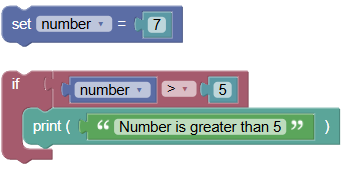
Write an if statement to check if a number is greater than 5 and print "Number is greater than 5". Ensure the print statement is properly indented.
 python
number = 7 if number > 5: print("Number is greater than 5")
- Check If a String Is Empty:
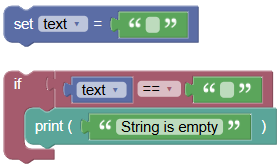
Write an if statement to check if a string is empty and print "String is empty". Ensure the print statement is properly indented.
 python
text = "" if text == "": print("String is empty")
Summary:
- In this tutorial, we learned how to solve the
IndentationErrorthat occurs when the block inside an if statement is not properly indented. Proper indentation is crucial in Python to define code blocks and ensure the program runs correctly. Practice writing and indenting if statements to avoidIndentationError: expected an indented block after 'if' statementin your Python programs!