Infinite While loop
Introduction:
- In Python, an infinite while loop is a loop that runs indefinitely because its condition is always true. This kind of loop is useful in certain scenarios where continuous running is required.
How to Define an Infinite While Loop:
- To create an infinite while loop, you can use the
Trueboolean value as the condition.
Examples:
- Using
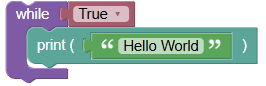
Trueas Condition:This loop will print "Hello World" indefinitely until you interrupt it.
Python Program:
pythonwhile True: print('Hello World')
- Using a Condition that Always Evaluates to True:
- Another way is to use a condition like
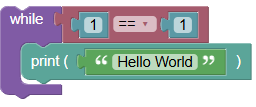
1 == 1, which always evaluates to true. Python Program:
 python
while 1 == 1: print('Hello World')
- Another way is to use a condition like
Stopping an Infinite Loop:
- If running the program in a terminal or command prompt, press
Ctrl+C(orCmd+Con Mac) to stop the execution.
Uses of Infinite While Loop in Python:
- Server Applications:
- In server applications, you might want the server to run indefinitely, continuously listening for incoming connections or processing tasks.
- Game Loops:
- In game development, an infinite loop is often used to create the game loop, which continuously updates the game state and renders it to the screen.
Exercises:
- Print a Message Indefinitely:
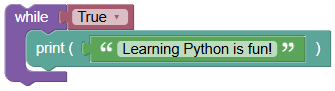
Write an infinite while loop that prints "Learning Python is fun!".
 python
while True: print("Learning Python is fun!")
- Simple Counter with User Input to Stop:
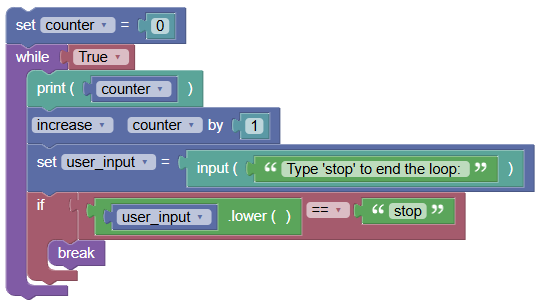
Write an infinite while loop that increments a counter and stops when the user types "stop".
 python
counter = 0 while True: print(counter) counter += 1 user_input = input("Type 'stop' to end the loop: ") if user_input.lower() == 'stop': break
Summary:
- In this tutorial, we learned how to create infinite while loops in Python and explored their uses in server applications and game loops. We also looked at examples of defining an infinite loop and how to stop it manually. Practice these examples to get comfortable with infinite while loops in Python!