Break
Introduction:
- The break statement in Python is used to exit a loop prematurely, even before the loop condition becomes false.
Syntax:
python
break
- Just the break keyword on a line by itself.
Examples:
- Break Statement with While Loop:
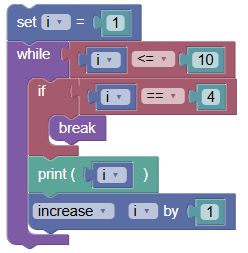
This example uses a while loop to print numbers from 1 to 10. The loop breaks when the number 4 is reached.
 python
i = 1 while i <= 10: if i == 4: break print(i) i += 1Output:
1
2
3
- Break Statement with For Loop and Range:
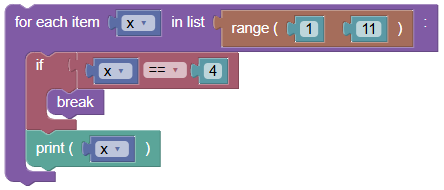
Using a for loop with range to break the loop when about to print the number 4.
 python
for x in range(1, 11): if x == 4: break print(x)Output:
1
2
3
Exercises:
- Break While Loop:
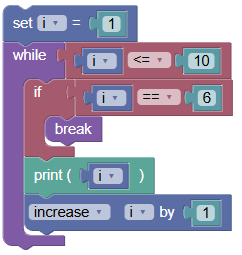
Write a while loop to print numbers from 1 to 10. Break the loop if the number is 6.
 python
i = 1 while i <= 10: if i == 6: break print(i) i += 1
- Break For Loop with Range:
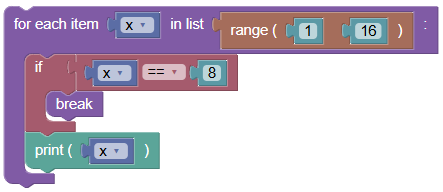
Write a for loop to print numbers from 1 to 15. Break the loop if the number is 8.
 python
for x in range(1, 16): if x == 8: break print(x)
Summary:
- In this tutorial, we learned how to use the break statement to end a loop execution prematurely, with the help of example programs. Practice using the break statement in different looping scenarios to understand its functionality and use it effectively in your Python programs!