Read Number
What Is Console Input?
- In Python, you can read input from the user through the console using the
input()function. This is useful for interactive programs where user input is required.
Steps to Read a Number:
- The
input()function reads a string value from the console. Python does not differentiate if the input is a string or number. You can convert this string to an integer or a float usingint()orfloat()functions.
Examples:
- Read an Integer:
- Steps:
- Use the
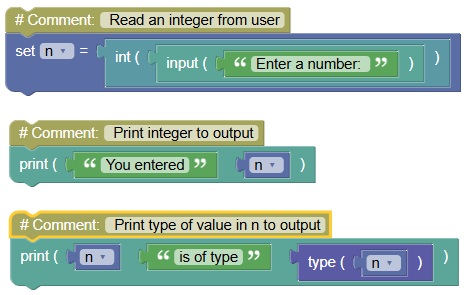
input()function to read a number from the user. - Convert the string to an integer using
int(). - Print the number and its type.
- Use the
Code:
 python
# Read an integer from user n = int(input('Enter a number: ')) # Print integer to output print('You entered', n) # Print type of value in n to output print(n, 'is of type', type(n))Output:
Enter a number: 52
You entered 52
52 is of type <class 'int'>
- Steps:
- Read Two Integers and Perform Arithmetic:
Code:
 python
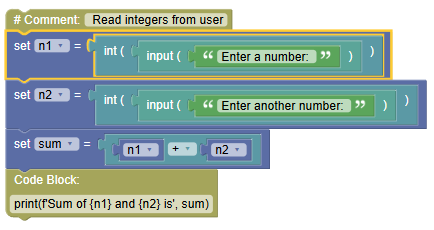
# Read integers from user n1 = int(input('Enter a number: ')) n2 = int(input('Enter another number: ')) sum = n1 + n2 print(f'Sum of {n1} and {n2} is', sum)Output:
Enter a number: 52
Enter another number: 14
Sum of 52 and 14 is 66
- Read a Float:
- Steps:
- Use the
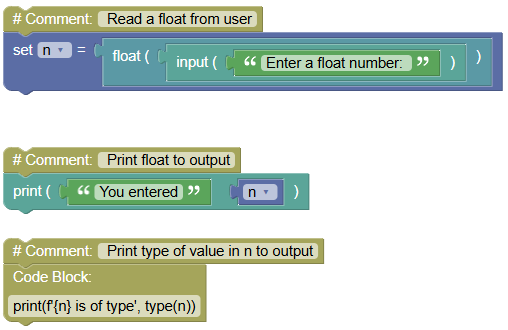
input()function to read a number from the user. - Convert the string to a float using
float(). - Print the number and its type.
- Use the
Code:
 python
# Read a float from user n = float(input('Enter a float number: ')) # Print float to output print('You entered', n) # Print type of value in n to output print(f'{n} is of type', type(n))Output:
Enter a float number: 3.14
You entered 3.14
3.14 is of type <class 'float'>
- Steps:
Summary:
- You can read numbers from the console in Python using the
input()function, and convert the input to the desired numeric type (intorfloat). Practice these steps to understand how to handle user input in Python!