Read String
Introduction:
- To read a string from the console entered by a user in your Python program, you can use the
input()built-in function.
Using the input() Function:
- The
input()function takes an optional prompt string as an argument to display on the console, guiding the user on what to enter.
Examples:
- Reading a Single String Value:
- Steps:
- Call the
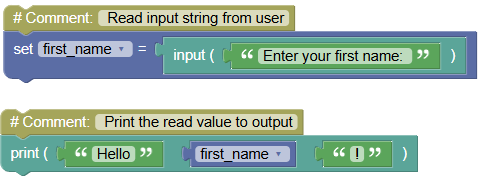
input()function with a prompt, e.g.,input('Enter your first name: '). - The function reads the string entered by the user and returns it.
- Store this string in a variable.
- Print the value using the
print()function.
- Call the
Code:
 python
# Read input string from user first_name = input('Enter your first name: ') # Print the read value to output print("Hello", first_name,"!")Output:
Enter your first name: Brooks
Hello Brooks!
- Steps:
- Reading Multiple Strings:
- Steps:
- Call the
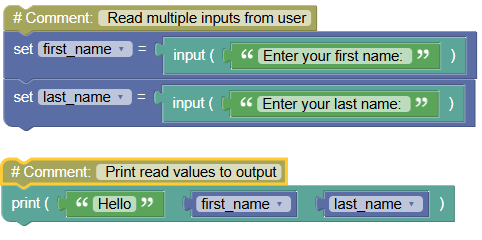
input()function twice to read two different string inputs. - Store each input in separate variables.
- Print both values using the
print()function.
- Call the
Code:
 python
# Read multiple inputs from user first_name = input('Enter your first name: ') last_name = input('Enter your last name: ') # Print read values to output print('Hello', first_name, last_name)Output:
Enter your first name: Brooks
Enter your last name: Henry
Hello Brooks Henry
- Steps:
Exercises:
- Read and Print User's Favorite Color:
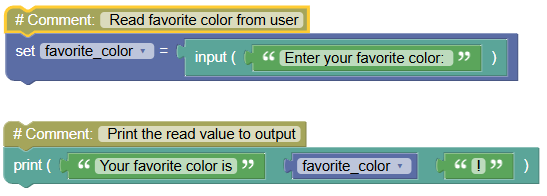
Write a program to read a user's favorite color and print a message including the color.
 python
# Read favorite color from user favorite_color = input('Enter your favorite color: ') # Print the read value to output print('Your favorite color is', favorite_color,"!")
- Concatenate Two Strings:
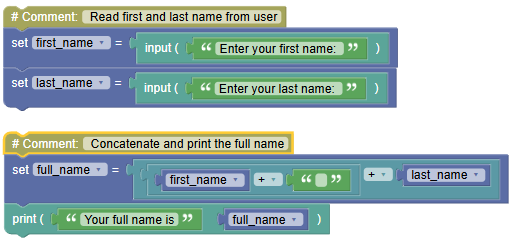
Write a program to read a user's first and last name and concatenate them into a single string.
 python
# Read first and last name from user first_name = input('Enter your first name: ') last_name = input('Enter your last name: ') # Concatenate and print the full name full_name = first_name + " " + last_name print("Your full name is", full_name)
Summary:
- In this tutorial, you learned how to read a string input from a user using the
input()function in a Python console application. Practice reading single and multiple strings to become proficient with user input handling in Python!