Formatting Print
What Is String Formatting?
- String formatting in Python allows you to insert variables, expressions, and functions into strings. It makes your output more readable and dynamic.
String format() Method:
Before Python 3.6, the
format()method was used to format strings.\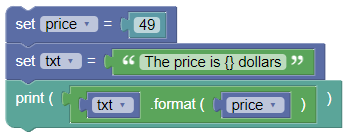
price = 49
txt = "The price is {} dollars"
print(txt.format(price))
Output:
The price is 49 dollars
The
format()method can also use placeholders with index numbers or named indexes.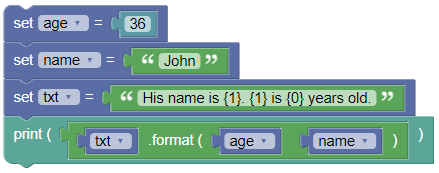
age = 36
name = "John"
txt = "His name is {1}. {1} is {0} years old."
print(txt.format(age, name))
Output:
His name is John. John is 36 years old.
Exercises:
- Use Modifiers:
Format a number with commas as thousand separators and two decimal places.
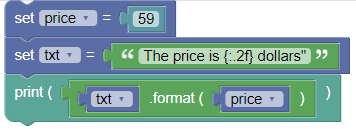
price = 59
txt = 'The price is {:.2f} dollars"'
print(txt.format(price))
Output:
The price is 59.00 dollars
- Perform Operations:
Create an f-string that performs a mathematical operation inside the placeholder.
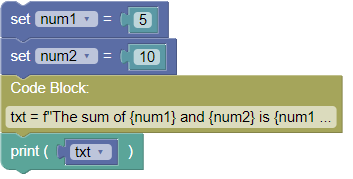
num1 = 5
num2 = 10
txt = f"The sum of {num1} and {num2} is {num1 + num2}"
print(txt)
Output:
The sum of 5 and 10 is 15
Python format() Function
Example: Format the number 0.5 into a percentage value:
x = format(0.5, '%')
print(x)
Definition and Usage: The format() function formats a specified value into a specified format.
Syntax:
format(value, format)
Parameter value:
- value:
A value of any format
Parameter format: Legal values
'<' - Left aligns the result (within the available space)
'>' - Right aligns the result (within the available space)
'^' - Center aligns the result (within the available space)
'=' - Places the sign to the left most position
'+' - Use a plus sign to indicate if the result is positive or negative
'-' - Use a minus sign for negative values only
' ' - Use a leading space for positive numbers
',' - Use a comma as a thousand separator
'_' - Use a underscore as a thousand separator
'b' - Binary format
'c' - Converts the value into the corresponding unicode character
'd' - Decimal format
'e' - Scientific format, with a lower case e
'E' - Scientific format, with an upper case E
'f' - Fix point number format
'F' - Fix point number format, upper case
'g' - General format
'G' - General format (using a upper case E for scientific notations)
'o' - Octal format
'x' - Hex format, lower case
'X' - Hex format, upper case
'n' - Number format
'%' - Percentage format
More Examples: Format 255 into a hexadecimal value:
x = format(255, 'x')
print(x)
Summary:
String formatting is essential for creating dynamic and readable output in Python. F-strings provide a concise and efficient way to include variables and expressions in strings. Practice using f-strings and the format() method to master string formatting!