Drawing Shapes and Patterns
Introduction:
- Welcome to BlockPyArt, an exciting way to learn programming by drawing shapes and patterns on a screen. This tutorial focuses on commands for drawing different shapes and patterns. Remember: Always use the “start” block to activate the BlockPyArt console. If you do not start with the start block, you will encounter an error and the commands will not work properly.
Drawing Shapes and Patterns
- circle(radius):
- Purpose: Draws a circle with the specified radius.
Example:
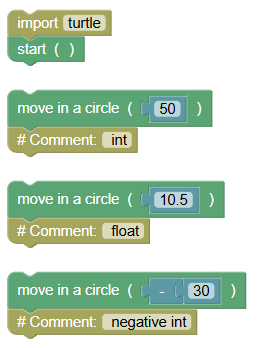 python
import turtle turtle.mainloop() turtle.circle(50) # int turtle.circle(10.5) # float turtle.circle(-30) # negative int- Exercise: Draw circles with radii of 25, 5.75, and -15 pixels respectively.
- dot(size):
- Purpose: Draws a dot with the specified size.
Example:
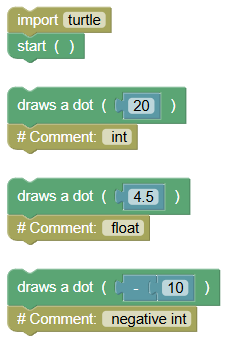 python
import turtle turtle.mainloop() turtle.dot(20) # int turtle.dot(4.5) # float turtle.dot(-10) # negative int- Exercise: Draw dots with sizes of 15, 3.25, and -7 pixels respectively.
- stamp():
- Purpose: Stamps a copy of the block's shape at the current position.
Example:
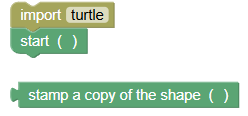 python
import turtle turtle.mainloop() turtle.stamp()Exercise: Move the block forward by 100 pixels and stamp a copy at the new position.
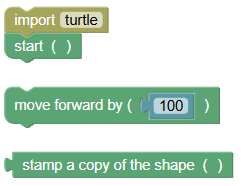 python
import turtle turtle.mainloop() turtle.forward(100) turtle.stamp()
Exercises
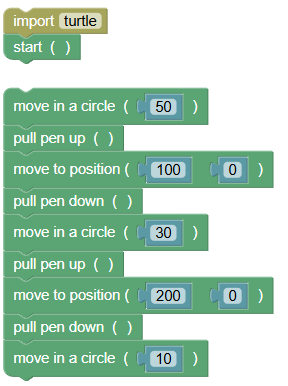
- Draw a Circle Pattern:
Write a program to draw three circles of different radii.
 python
import turtle turtle.mainloop() turtle.circle(50) turtle.penup() turtle.goto(100, 0) turtle.pendown() turtle.circle(30) turtle.penup() turtle.goto(200, 0) turtle.pendown() turtle.circle(10)
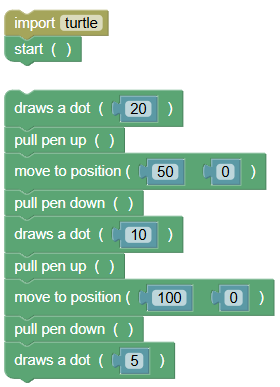
- Draw a Dot Pattern:
Write a program to draw dots of various sizes in a line.
 python
import turtle turtle.mainloop() turtle.dot(20) turtle.penup() turtle.goto(50, 0) turtle.pendown() turtle.dot(10) turtle.penup() turtle.goto(100, 0) turtle.pendown() turtle.dot(5)
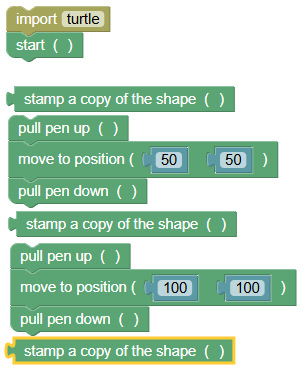
- Stamp Pattern:
Write a program to stamp the block's shape at different positions.
 python
import turtle turtle.mainloop() turtle.stamp() turtle.penup() turtle.goto(50, 50) turtle.pendown() turtle.stamp() turtle.penup() turtle.goto(100, 100) turtle.pendown() turtle.stamp()
Summary:
- In this tutorial, we learned how to draw shapes and patterns in BlockPyArt using the commands
circle(),dot(), andstamp(). Remember to always use the start block to activate the BlockPyArt console. If you cannot start using the BlockPyArt blocks, there will be an error. Practice these commands and exercises to get comfortable with drawing shapes and patterns in BlockPyArt!