Input list
Introduction:
- To read input values entered by the user in the console into a list in Python, you can use the
input()function along with the stringsplit()method.
How It Works:
- The
input()function reads the entire user input as a string. - The
split()method splits this input string into a list of values based on a specified separator.
Examples:
- Reading Space-Separated Values:
- Steps:
- Prompt the user for input using the
input()function. - Read user input as a string into a variable.
- Split the string into values using the
split()method. (By default,split()uses whitespace as the separator.) - Store the list returned by
split()in a variable.
- Prompt the user for input using the
Code:
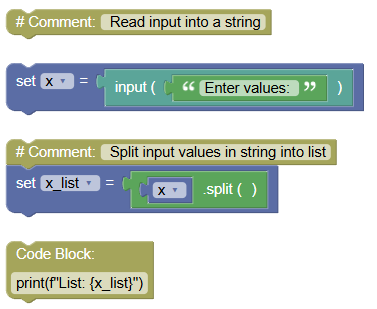 python
# Read input into a string x = input("Enter values: ") # Split input values in string into list x_list = x.split() print(f"List: {x_list}")Output:
Enter values: apple banana cherry List: ['apple', 'banana', 'cherry']Converting Values to Integers:
If the values entered are numbers, convert the values in the list to integers.
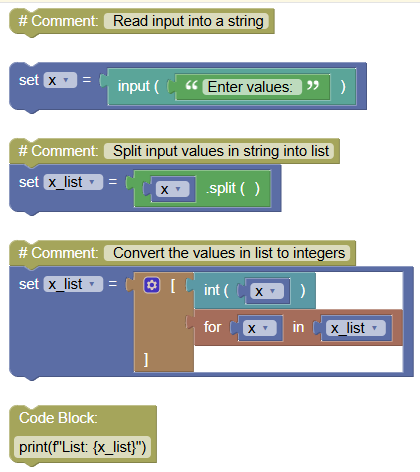
python# Read input into a string x = input("Enter values: ") # Split input values in string into list x_list = x.split() # Convert the values in list to integers x_list = [int(x) for x in x_list] print(f"List: {x_list}")Output:
Enter values: 10 20 30 40 50
List: [10, 20, 30, 40, 50]
- Steps:
- Reading Comma-Separated Values:
- Steps:
- Prompt the user for input using the
input()function. - Read user input as a string into a variable.
- Split the string into values using the
split()method, with a comma,as the separator.
- Prompt the user for input using the
Code:
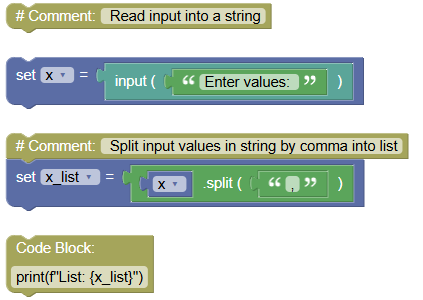 python
# Read input into a string x = input("Enter values: ") # Split input values in string by comma into list x_list = x.split(",") print(f"List: {x_list}")Output:
Enter values: apple,banana,cherry
List: ['apple', 'banana', 'cherry']
- Steps:
Exercises:
- Read Space-Separated Numbers:
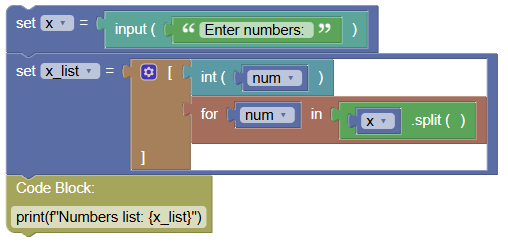
Write a program to read space-separated numbers from the user and store them in a list.
 python
x = input("Enter numbers: ") x_list = [int(num) for num in x.split()] print(f"Numbers list: {x_list}")
- Read Comma-Separated Fruits:
Write a program to read comma-separated fruit names from the user and store them in a list.
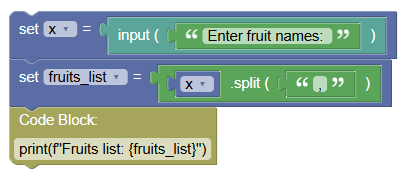 python
x = input("Enter fruit names: ") fruits_list = x.split(",") print(f"Fruits list: {fruits_list}")
Summary:
- In this tutorial, you learned how to read user input values from the console and store them in a list using the
input()andsplit()methods in Python. Practice reading both space-separated and comma-separated values to become proficient in handling user input in Python!