Matplotlib Library
What You'll Learn: In this tutorial, you'll discover what Matplotlib is and how to use it for creating visualizations in Python. Matplotlib is a low-level graph plotting library that helps you make a wide variety of visual representations of your data.
What is Matplotlib?
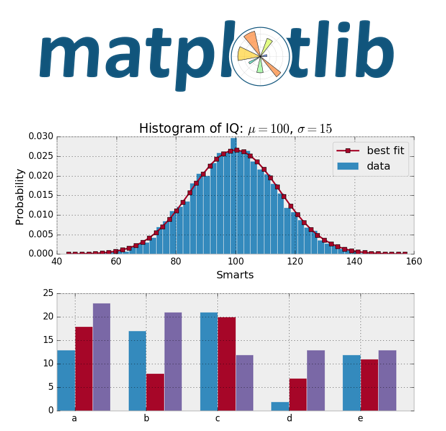
Matplotlib is a powerful library in Python used for creating static, animated, and interactive visualizations. It's widely used for plotting graphs and charts, making it easier to understand and analyze data.
Getting Started with Matplotlib
- Basic Plotting:
- After installing Matplotlib, you can start creating your first plot.
Example Code:
pythonimport matplotlib.pyplot as plt # Simple plot x = [1, 2, 3, 4] y = [10, 20, 25, 30] plt.plot(x, y) plt.xlabel('X-axis') plt.ylabel('Y-axis') plt.title('Basic Plot') plt.show()
Creating Different Types of Plots
- Line Plot:
- Line plots are used to show trends over time.
Example Code:
pythonplt.plot(x, y) plt.show()
- Bar Plot:
- Bar plots are used to compare different groups.
Example Code:
pythonx = ['A', 'B', 'C', 'D'] y = [10, 20, 25, 30] plt.bar(x, y) plt.xlabel('Categories') plt.ylabel('Values') plt.title('Bar Plot') plt.show()
- Scatter Plot:
- Scatter plots are used to show the relationship between two variables.
Example Code:
pythonplt.scatter(x, y) plt.xlabel('X-axis') plt.ylabel('Y-axis') plt.title('Scatter Plot') plt.show()
Customizing Plots
- Adding Labels and Titles:
- You can add labels and titles to make your plots more informative.
Example Code:
pythonplt.plot(x, y) plt.xlabel('X-axis') plt.ylabel('Y-axis') plt.title('Customized Plot') plt.show()
- Changing Colors and Styles:
- Matplotlib allows you to customize the colors and styles of your plots.
Example Code:
pythonplt.plot(x, y, color='red', linestyle='--') plt.show()
Try It Yourself: Fun Exercises
- Create a Line Plot:
- Create a simple line plot with your own data and customize it with labels and a title.
- Experiment with Different Plots:
- Try creating different types of plots like bar plots and scatter plots with your data.
Summary:
In this tutorial, we learned about Matplotlib, a powerful library in Python for creating various types of plots and visualizations. We explored basic plotting, creating different types of plots, and customizing them. Keep experimenting and have fun with Matplotlib in Python!