Nested If
Introduction:
- Python supports logical conditions from mathematics:
- Equals:
a == b - Not Equals:
a != b - Less than:
a < b - Less than or equal to:
a <= b - Greater than:
a > b - Greater than or equal to:
a >= b
- Equals:
Nested If Statements:
- You can have if statements inside if statements. This is called nested if statements.
Example:
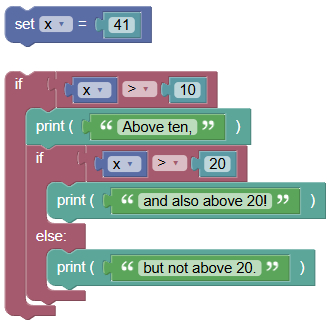
Here is an example of a nested if statement:
 python
x = 41 if x > 10: print("Above ten,") if x > 20: print("and also above 20!") else: print("but not above 20.")Output:
Above ten,
and also above 20!
How It Works:
- The outer
ifstatement checks ifxis greater than 10. If this condition is true, it prints "Above ten," and then checks the innerifstatement. - The inner
ifstatement checks ifxis greater than 20. If this condition is true, it prints "and also above 20!". Otherwise, it prints "but not above 20."
Examples:
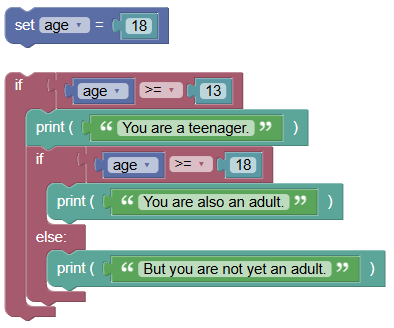
Simple Nested If Statement:
 python
age = 18 if age >= 13: print("You are a teenager.") if age >= 18: print("You are also an adult.") else: print("But you are not yet an adult.")Output:
You are a teenager.
You are also an adult.
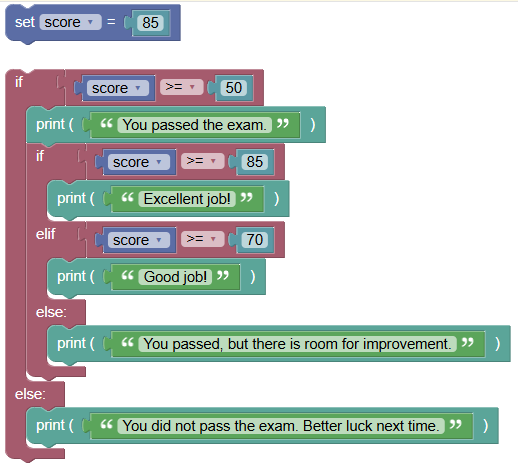
Nested If with Multiple Conditions:
 python
score = 85 if score >= 50: print("You passed the exam.") if score >= 85: print("Excellent job!") elif score >= 70: print("Good job!") else: print("You passed, but there is room for improvement.") else: print("You did not pass the exam. Better luck next time.")Output:
You passed the exam.
Excellent job!
Exercises:
- Nested If Statement:
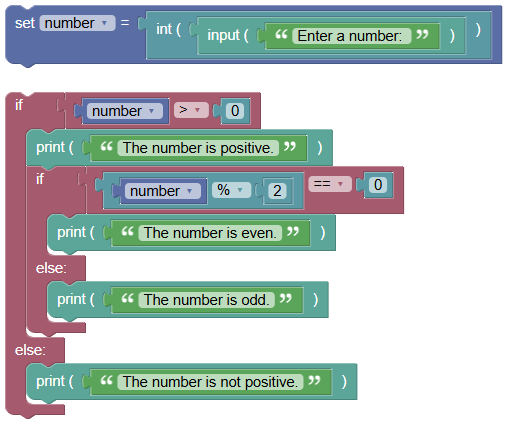
Write a program to check if a number is positive, and if it is, check if it is even or odd.
 python
number = int(input("Enter a number: ")) if number > 0: print("The number is positive.") if number % 2 == 0: print("The number is even.") else: print("The number is odd.") else: print("The number is not positive.")
- Nested If for Age Categories:
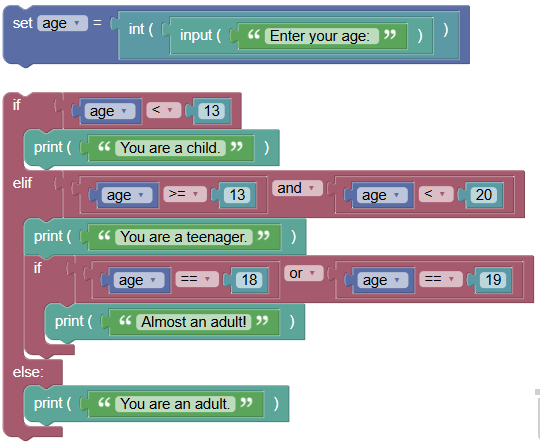
Write a program to categorize a person's age group (child, teenager, adult) based on their age.
 python
age = int(input("Enter your age: ")) if age < 13: print("You are a child.") elif age >= 13 and age < 20: print("You are a teenager.") if age == 18 or age == 19: print("Almost an adult!") else: print("You are an adult.")
Summary:
- Nested if statements allow for more complex decision-making in your programs by enabling multiple levels of conditional checks. Practice using nested if statements to become proficient in handling complex conditional logic in your Python programs