Access Array Items
Introduction:
- In Python, you can access elements of an array (or list) by referring to their index number. The index starts at 0 for the first element.
Examples:
- Get the Value of the First Array Item:
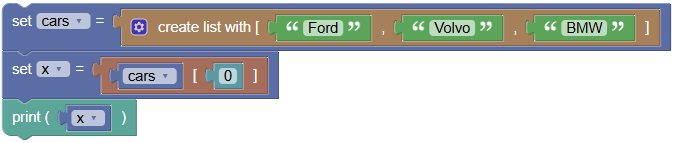
To get the value of the first item in the array, you refer to the index 0.
 python
cars = ["Ford", "Volvo", "BMW"] x = cars[0] print(x)- Output:
Ford
- Output:
- Modify the Value of the First Array Item:
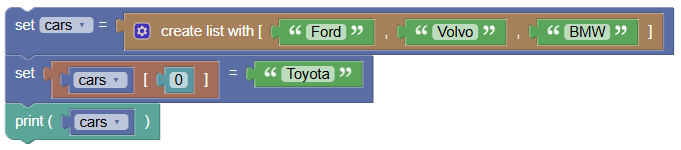
To change the value of the first item in the array, you also use the index 0.
 python
cars = ["Ford", "Volvo", "BMW"] cars[0] = "Toyota" print(cars)Output:
['Toyota', 'Volvo', 'BMW']
Exercises:
- Access the Last Item in an Array:
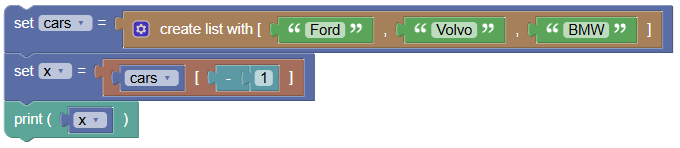
Write a program to get the value of the last item in an array.
 python
cars = ["Ford", "Volvo", "BMW"] x = cars[-1] print(x)Output:
BMW
- Change the Value of the Second Item:
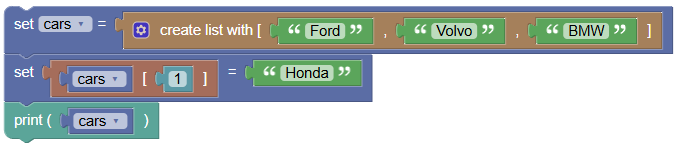
Write a program to modify the value of the second item in an array.
 python
cars = ["Ford", "Volvo", "BMW"] cars[1] = "Honda" print(cars)Output:
['Ford', 'Honda', 'BMW']
Summary:
- In this tutorial, we learned how to access and modify elements of an array by using their index number. This is an essential skill when working with arrays in Python. Practice these examples to get comfortable with array indexing!