Comments
What Are Comments?
- Comments are lines in your code that help explain what your code does, making it easier to understand.
Why Are They Important?
- They help you and others understand your code better.
- They are ignored by the Python interpreter, so they don’t affect how your code runs.
How to Write Comments in Python:
- Use the
#symbol at the beginning of a line to create a comment. Example:
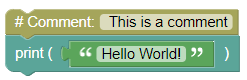
# This is a comment
print('Hello World!')
Output:
Hello World!
Writing Comments at the End of a Line:
You can also write comments after code on the same line.
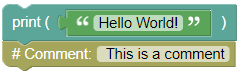
print('Hello World!') # This is a commentOutput:
Hello World!
Commenting Out Code:
You can comment out code to prevent it from running.
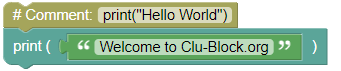
#print("Hello World")
print("Welcome to Clu-Block.org")
Output:
Welcome to Clu-Block.org
Multiline Comments:
- Use triple quotes
'''or multiple#symbols to write comments on multiple lines.
Using Multiline String:
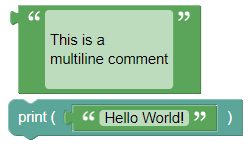
'''
This is a
multiline comment
'''
print('Hello World!')
Output:
Hello World!
Using Multiple
#: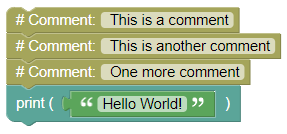
# This is a comment
# This is another comment
# One more comment
print('Hello World!')
Output:
Hello World!
Summary:
- Comments are an essential part of writing clear and understandable code. They help explain what your code does without affecting its behavior. Try using comments in your code to make it more readable!