Variables
What Are Variables?
- Variables are like containers that store data in your program. They hold values that you can use, change, and refer to throughout your code.
Creating and Assigning Variables:
- In Python, you don’t need to specify the type of data when creating a variable.
Just assign a value to a variable name:

variable_name = valueExamples:
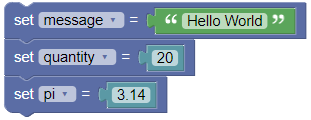
message = "Hello World"
quantity = 20
pi = 3.14
Reassigning Variables:
You can change the value of a variable, even to a different type:
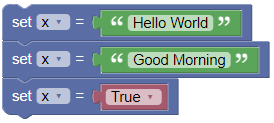
x = "Hello World"
x = "Good Morning"
x = True
Using Variables in Expressions:
You can use variables in calculations and expressions:
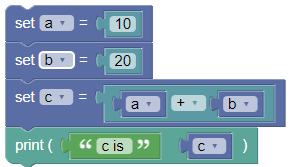
a = 10
b = 20
c = a + b
print('c is ', c)
Output:
c is 30
Naming Rules for Variables:
- Valid Characters: Use letters, numbers, and underscores (_). Must start with a letter or underscore.
- No Spaces or Special Characters: Avoid spaces and symbols like !, @, #, etc.
- Case Sensitivity: Python treats
my_variableandMy_variableas different variables. - Avoid Reserved Words: Don’t use keywords like
if,else,while, etc. - Descriptive and Readable: Use meaningful names like
user_nameortotal_amount. - Snake Case: For multiple words, use snake_case:
user_name. - Leading Underscore:
_variablesuggests it’s private. - Double Underscore:
__variableis used for name mangling in classes.
Printing the Value in a Variable:
Use the
print()function: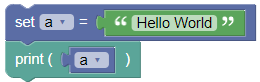
a = "Hello World"
print(a)
Output:
Hello World
Converting the Value in a Variable:
Convert types using functions like
str(),int(),float():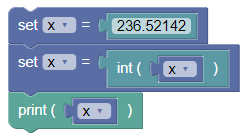
x = 236.52142
x = int(x)
print(x)
Output:
236
Getting the Type of a Value in a Variable:
Use the
type()function to find out the type: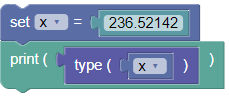
x = 236.52142
print(type(x))
Output:
<class 'float'>
Summary:
- Variables are essential for storing and managing data in Python. Understanding how to create, assign, and use variables will help you write effective Python code. Try the examples and exercises to get hands-on practice!