Modify Strings
What You'll Learn: In this tutorial, you'll discover various ways to modify strings in Python using built-in methods. It's like having a toolbox to change and fix up your text!
Changing Case
Upper Case
- The
upper()method converts all the letters in a string to uppercase.
Example Code:
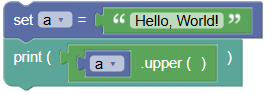 python
a = "Hello, World!" print(a.upper())Output:
HELLO, WORLD!- The
Lower Case
- The
lower()method converts all the letters in a string to lowercase.
Example Code:
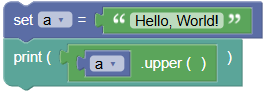 python
a = "Hello, World!" print(a.lower())Output:
hello, world!- The
Removing Whitespace
- Whitespace is the space before or after the actual text. The
strip()method removes this extra space.
Example Code:
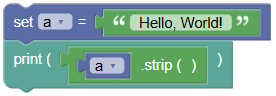
python
a = " Hello, World! "
print(a.strip())
Output: Hello, World!
Replacing Substrings
- The
replace()method replaces part of the string with another string.
Example Code:
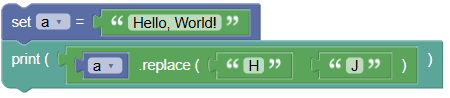
python
a = "Hello, World!"
print(a.replace("H", "J"))
Output: Jello, World!
Splitting Strings
- The
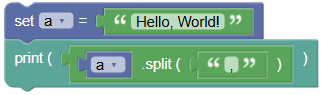
split()method splits the string into a list of substrings, based on a specified separator.
Example Code:
python
a = "Hello, World!"
print(a.split(","))
Output: ['Hello', ' World!']
Try It Yourself: Fun Exercises
- Shout It Out:
- Create a string with a sentence.
- Use
upper()to make it all uppercase.
- Silent Whispers:
- Create a string with a sentence.
- Use
lower()to make it all lowercase.
- Clean It Up:
- Create a string with extra spaces at the beginning and end.
- Use
strip()to remove the spaces.
- Replace a Word:
- Create a string with a sentence.
- Use
replace()to change one word in the sentence.
- Split the Sentence:
- Create a string with a sentence.
- Use
split()to break it into words.
Summary:
In this Python tutorial, we learned how to modify strings using various built-in methods. You can change the case of letters, remove extra spaces, replace parts of the string, and split the string into smaller parts. Each of these methods helps you handle and manipulate text easily. Keep experimenting and have fun with strings in Python!