If...
Introduction:
- Python supports the usual logical conditions from mathematics:
- Equals:
a == b - Not Equals:
a != b - Less than:
a < b - Less than or equal to:
a <= b - Greater than:
a > b - Greater than or equal to:
a >= b
- Equals:
- These conditions can be used in "if statements" and loops.
If Statement:
An "if statement" is written using the
ifkeyword.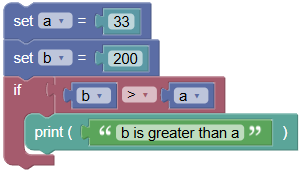 python
a = 33 b = 200 if b > a: print("b is greater than a")
Syntax of If Statement:
if boolean_expression:
    statement(s)
If the boolean expression returns
True, the statement(s) inside theifblock are executed.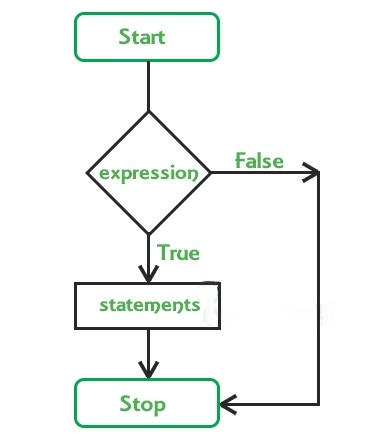
Examples:
- Simple If Statement:
Using a relational operator (
<) in the if statement condition.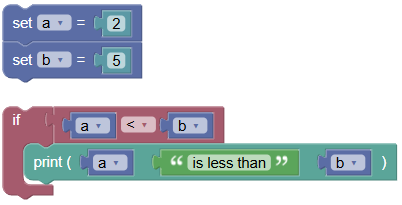 python
a = 2 b = 5 if a < b: print(a, 'is less than', b)Output:
2 is less than 5
- If Statement with False Condition:
The statement inside the if-block is not executed if the condition is false.
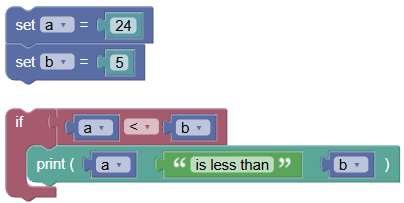 python
a = 24 b = 5 if a < b: print(a, 'is less than', b)Output:
(No output)
- If Statement with Compound Condition:
Using logical operators (
and) to join multiple conditions.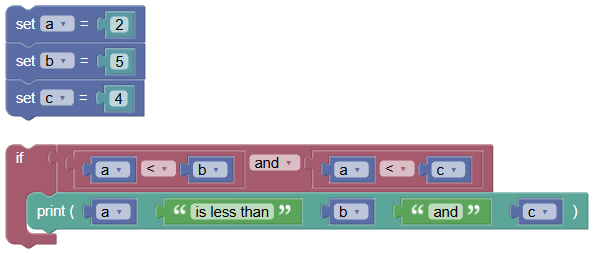 python
a = 2 b = 5 c = 4 if a < b and a < c: print(a, 'is less than', b, 'and', c)Output:
2 is less than 5 and 4
- If Statement with Condition Evaluating to a Number:
If the expression evaluates to a non-zero number, the statement(s) inside the if-block are executed.
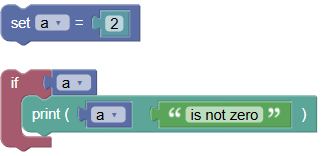 python
a = 2 if a: print(a, 'is not zero')Output:
2 is not zero
- If Statement with Multiple Statements:
There can be multiple statements inside the if-block, all with the same indentation.
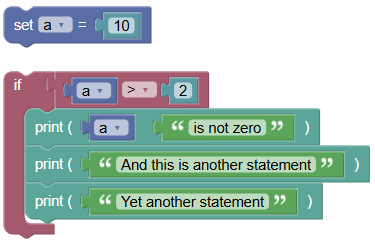 python
a = 10 if a > 2: print(a, 'is not zero') print('And this is another statement') print('Yet another statement')Output:
10 is not zero
And this is another statement
Yet another statement
Short Hand If:
For one-line if statements:
pythonif a > b: print("a is greater than b")- Nested If Statement:
Writing an if statement inside another if statement.
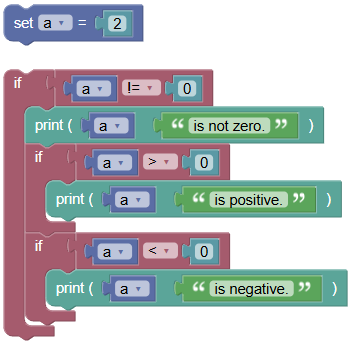 python
a = 2 if a != 0: print(a, 'is not zero.') if a > 0: print(a, 'is positive.') if a < 0: print(a, 'is negative.')Output:
2 is not zero.
2 is positive.
Exercises:
- Basic If Statement:
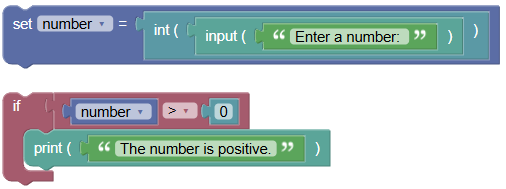
Write a program to check if a number entered by the user is positive.
 python
number = int(input("Enter a number: ")) if number > 0: print("The number is positive.")
- If Statement with Compound Condition:
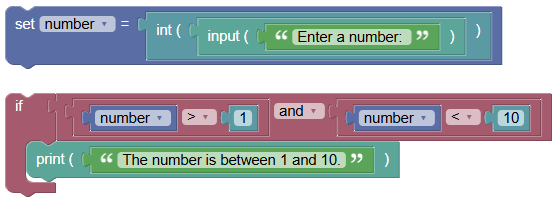
Write a program to check if a number is between 1 and 10.
 python
number = int(input("Enter a number: ")) if number > 1 and number < 10: print("The number is between 1 and 10.")
Summary:
- Python if statements allow you to control the flow of your program based on conditions. Practice writing if statements to become proficient in using conditional logic in your programs