[Solved] IndentationError
Introduction:
- An
IndentationError: unindent does not match any outer indentation leveloccurs when there is an inconsistent or mismatched indentation level in your code. This error typically happens when dedenting (removing indentation) doesn't align with the outer indentation level.
Example of IndentationError:
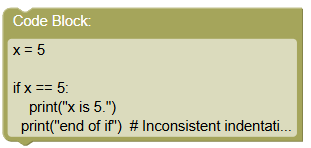
Consider this program where the print statement inside the if block is not properly indented:
 python
x = 5 if x == 5: print("x is 5.") print("end of if") # Inconsistent indentation level
Output:
  File "example.py", line 5
    print("end of if")  # Inconsistent indentation level
    ^
IndentationError: unindent does not match any outer indentation level
- Python clearly indicates that it encountered an unindentation issue.
Solution:
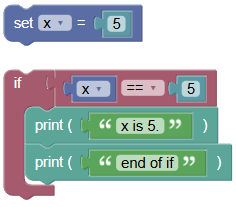
To fix this error, ensure that all the lines within the block are at the same level of indentation. Here is the corrected program:
 python
x = 5 if x == 5: print("x is 5.") print("end of if")
Output:
x is 5.
end of if
- The program runs without any
IndentationError.
Exercises:
- Fix the IndentationError:
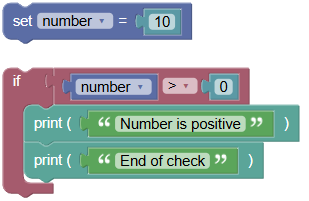
Write an if statement to check if a number is positive and print "Number is positive" and "End of check". Ensure both print statements are properly indented.
 python
number = 10 if number > 0: print("Number is positive") print("End of check")
- Check if a Number is Even:
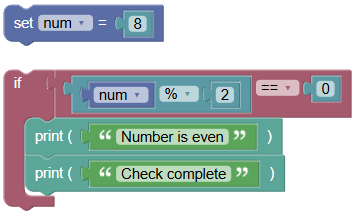
Write an if statement to check if a number is even and print "Number is even" and "Check complete". Ensure both print statements are properly indented.
 python
num = 8 if num % 2 == 0: print("Number is even") print("Check complete")
Summary:
- In this tutorial, we learned how to solve the
IndentationErrorthat occurs when there is an inconsistent indentation level. Proper indentation is crucial in Python to define code blocks and ensure the program runs correctly. Practice writing and indenting code to avoidIndentationError: unindent does not match any outer indentation levelin your Python programs!