If NOT
Introduction:
- Python supports the usual logical conditions from mathematics:
- Equals:
a == b - Not Equals:
a != b - Less than:
a < b - Less than or equal to:
a <= b - Greater than:
a > b - Greater than or equal to:
a >= b
- Equals:
Using NOT:
- The
notkeyword is a logical operator used to reverse the result of a conditional statement. It changesTruetoFalseandFalsetoTrue.
Example:
Test if
ais NOT greater thanb: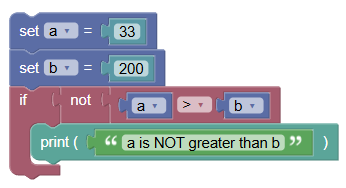 python
a = 33 b = 200 if not a > b: print("a is NOT greater than b")
Syntax of If Statement with NOT:
python
if not value:
    statement(s)
- The
valuecan be of type boolean, string, list, dict, set, tuple, etc. The statements inside the if block execute only if the value isFalseor if the value (like a collection) is empty.
Examples:
- Python "if not" with Boolean:
Using
notin the boolean expression of anifstatement.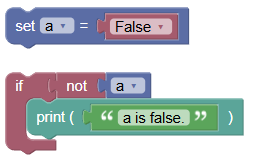 python
a = False if not a: print('a is false.')Output:
a is false.
- Python "if not" with String:
Using
if notto print the string only if the string is not empty.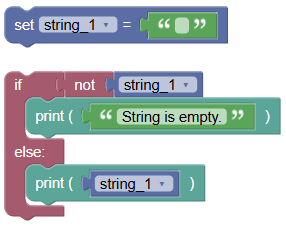 python
string_1 = '' if not string_1: print('String is empty.') else: print(string_1)Output:
String is empty.
Summary:
- In this tutorial, we learned how to use the NOT logical operator in conjunction with Python if conditional statements. Practice using
if notto conditionally execute code based on the absence of a value or the falseness of a condition