Strings
What Are Strings?
- Strings in Python are sequences of characters surrounded by either single (
') or double (") quotation marks.
Examples:
Displaying strings with the
print()function: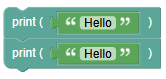 python
print("Hello") print('Hello')- Output:
Hello Output:
Hello
- Output:
Quotes Inside Quotes:
You can use quotes inside a string as long as they don't match the quotes surrounding the string:
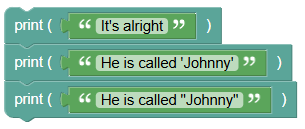 python
print("It's alright") print("He is called 'Johnny'") print('He is called "Johnny"')- Output:
It's alright - Output:
He is called 'Johnny' Output:
He is called "Johnny"
- Output:
Assign String to a Variable:
Assigning a string to a variable:
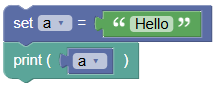 python
a = "Hello" print(a)Output:
Hello
Multiline Strings:
You can assign a multiline string using three quotes:
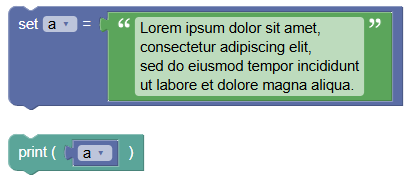 python
a = """Lorem ipsum dolor sit amet, consectetur adipiscing elit, sed do eiusmod tempor incididunt ut labore et dolore magna aliqua.""" print(a)Output:
Lorem ipsum dolor sit amet,consectetur adipiscing elit,sed do eiusmod tempor incididuntut labore et dolore magna aliqua.
Strings are Arrays:
Strings are arrays of bytes representing unicode characters. Access elements using square brackets:
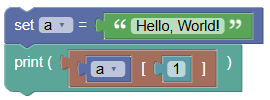 python
a = "Hello, World!" print(a[1])Output:
e
String Length:
- Use the
len()function to get the length of a string: 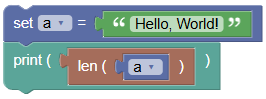
- python
a = "Hello, World!"
print(len(a))
Output:
13
Check String:
To check if a certain phrase or character is present in a string, use the
inkeyword: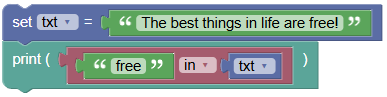 python
txt = "The best things in life are free!" print("free" in txt)Output:
True
Summary:
- Strings in Python are versatile and widely used for text manipulation. Understanding how to create, access, and modify strings is fundamental for any programmer. Practice these examples and exercises to become proficient in working with strings in Python!